


- Roughly 90% of orders on our floor receive at least one complimentary artwork fix before payment is captured.
- Free fixes cover bleed and margins, CMYK conversion, resolution, layout rebuilds, and type cleanup—not optional paid add-ons at checkout.
- You review a proof PDF first; payment waits until the corrected file matches what will run on press.
Free artwork setup for printing is not a vague promise—it is a defined set of prepress corrections our team performs on most orders before you pay. Canva exports without bleed, RGB logos pulled from websites, Word-doc flyers, and phone photos of old business cards arrive daily. They look acceptable on a phone screen and fail cutter tolerance, color conversion, or minimum type size on press. Internal production sampling shows roughly nine orders in ten need at least one complimentary touch: extending backgrounds into bleed, converting color to CMYK, rebuilding low-resolution logos, adjusting layout to the trim size you ordered, or cleaning up type that would fill in on matte stock. This guide explains what those fixes include, what triggers each category, how they pair with proof-before-pay checkout, and what you should upload when you know your file is imperfect but your deadline is not.
- Free fixes in 40 words
- Why 90% of orders need help
- Bleed, trim, and safe-zone fixes
- CMYK conversion and color cleanup
- Resolution and logo rebuilds
- Layout rebuilds and sizing
- Type cleanup and embedding
- Typical fix mix by category
- Fixes before payment: how timing works
- What to upload when art is messy
- Real fix scenarios on our floor
- FAQ (8 questions)
What free artwork fixes do you include before payment?
Free artwork fixes before payment include bleed and safe-margin corrections, CMYK color conversion, resolution upgrades or vector rebuilds when source allows, layout resizing to match ordered trim specs, and type cleanup including font embedding or outlining. Prepress performs these tasks at no design fee when tied to a print order. You receive a proof PDF showing the corrected file and pay only after approval. Fixes are production-focused—making your order run cleanly—not unlimited brand consulting unrelated to the SKU you ordered.
Why roughly 90% of uploaded files need a complimentary fix
Screen design and press production follow different physics. Monitors emit light; paper absorbs ink. A file that fills a laptop display can still be 72 dpi, RGB, and trimmed to the wrong aspect ratio for the product in your cart. DIY tools lowered the barrier to “good enough on screen,” but they did not automatically teach bleed boxes, rich-black recipes, or fold-panel sequencing.
The gap buyers do not see until proof time
Most customers upload once and assume preflight is a formality. On our floor, the opposite is true: the first open in Adobe Acrobat or prepress RIP software often reveals missing bleed, unembedded fonts, neon RGB greens, or logos scaled from 150-pixel thumbnails. None of those are moral failures—they are predictable outcomes when marketing teams design in web-first tools and print in production-first sizes.
What “at least one fix” actually means
The 90% statistic counts any complimentary intervention before payment: a five-minute bleed extension counts the same as a full flyer rebuild. Many jobs need two or three categories at once—a Canva RGB export commonly needs CMYK conversion, bleed extension, and a QR code moved inward from the trim line. The fix is still free; the proof shows what changed.
- Bleed/margins: backgrounds stop at trim; white hairlines after cut
- CMYK: web hex colors shift unpredictably on coated stock
- Resolution: social icons and website logos fail at card size
- Layout: wrong aspect ratio for banner or tri-fold panel order
- Type: thin weights fill in; fonts substitute at the RIP
Bleed, trim, and safe-zone fixes (the most common category)
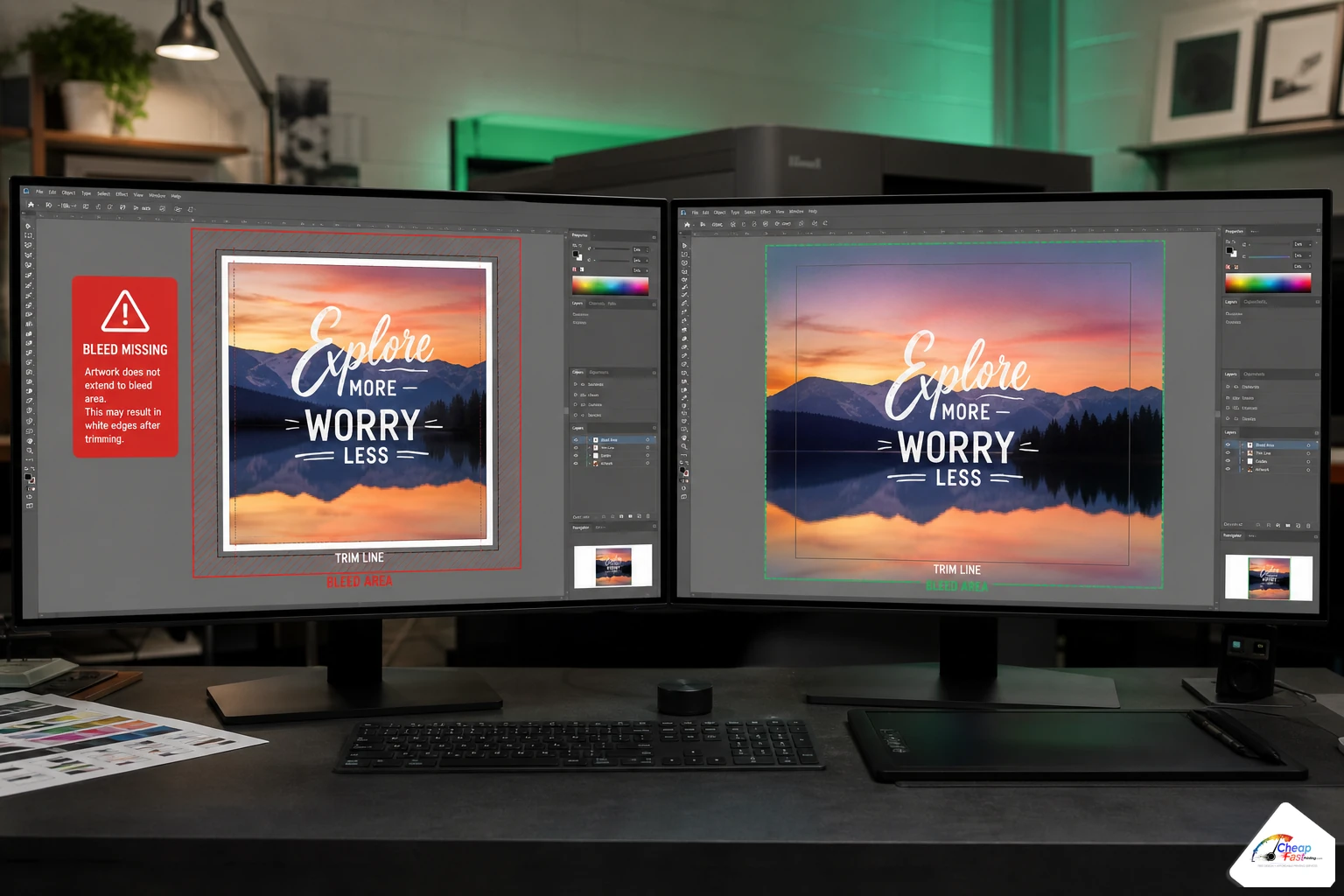
Bleed corrections top our fix log. Full-bleed backgrounds must extend past the final trim size so mechanical cutter variance never exposes white paper. Safe zones keep phone numbers, QR codes, and legal lines far enough from the edge that a 1/16-inch shift does not clip live content.
What we change on a typical bleed fix
A 4×6 flyer uploaded at exactly 4×6 with no bleed gets rebuilt at production spec—often 4.25×6.25 inches depending on the SKU. Designers extend photo backgrounds, mirror edge pixels where needed, and verify solids reach the bleed box. Trim marks and crop boxes in the exported PDF match the ordered product, not the artboard the customer guessed.
Safe zone moves buyers request after seeing proof
QR codes placed 1/8 inch from trim look fine in Canva but fail in real mail handling. We move live type and scannable codes inward to safe margins and note the change on the proof. That single adjustment prevents reprints when the post office equipment scuffs edges or when stack cutting shifts slightly on a 5,000-piece run.
CMYK conversion and color cleanup
RGB-to-CMYK conversion is the second-most frequent complimentary fix. Screens display a wider gamut than offset and digital toner can reproduce on paper. Exporting from Canva, Google Slides, or Figma without a print color profile leaves hex blues and neon greens that shift toward mud or unexpected purple on press.
Profile-aware conversion versus “save as PDF”
Our prepress team converts with settings appropriate to coated versus uncoated stock on the order. Logos sitting on large color fields get checked for out-of-gamut warnings. We do not promise Pantone-perfect match on every promo flyer, but we prevent the worst surprises—especially on brand reds, corporate blues, and saturated greens that dominate small-business identity systems.
Rich black and ink density on dark backgrounds
Amateur files often use 100% K black for large background areas, which can look gray or streaky on digital presses. Designers adjust rich-black recipes and total ink limits where needed so solids look even on the stock you selected. That is invisible work on the proof unless you know what to look for—but it shows up in person when the alternative would have banded.
Resolution fixes and logo rebuilds
Resolution problems usually trace to logos, headshots, and hero photos pulled from websites or social platforms. A 200-pixel-wide PNG looks crisp in a 1-inch browser slot and falls apart at business-card size or on a 24×36 banner.
When we can rebuild versus when we must ask for new art
If the source raster has enough pixel data, designers trace or rebuild vector paths so edges stay sharp at trim size. When the source is too small—common with favicon grabs or compressed WhatsApp forwards—we flag it on the proof and request a higher file before you approve payment. We do not silently upscale garbage; we show you the limitation so you can email a better logo from your designer or brand folder.
Product-specific resolution expectations
Business cards forgive less than posters viewed from six feet. Banners punish low-res headshots harshly. Prepress scales within reason, swaps placeholders when the customer supplies better assets mid-proof, and documents minimum type sizes that survive on 16pt matte versus gloss stock. Resolution fixes are complimentary when tied to the order; supplying a vector logo from the start simply reduces proof cycles.
Layout rebuilds and size corrections
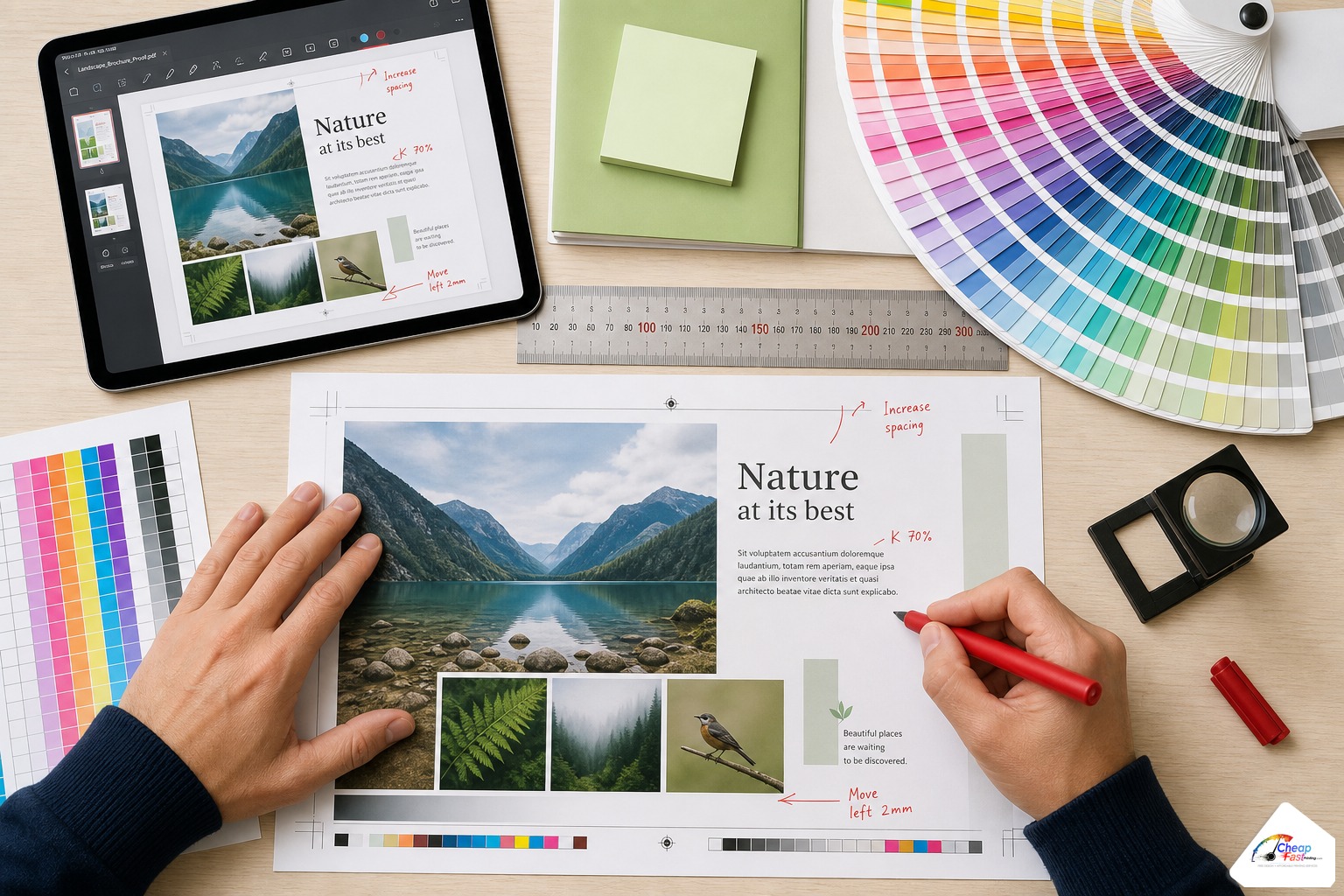
Layout rebuilds happen when the file structure is too weak to patch—multi-column Word exports, stretched JPEGs, Instagram squares uploaded for retractable banners, or tri-fold copy pasted in the wrong panel order. The designer recreates the intent in a print-native layout rather than forcing a broken file through the RIP.
Resize versus rebuild decision tree
Minor aspect-ratio drift on a flyer might be a quick resize plus bleed extension. A square social graphic destined for a 3.5×2 card often needs full recomposition so the logo is not squashed. AI-assisted drafting speeds first-pass grids on from-scratch rebuilds; humans own fold logic, panel order, and margin math. For the full AI-plus-human workflow on greenfield jobs, see our guide to free AI and human graphic design for printing.
Type cleanup, embedding, and legibility fixes
Type issues rank lower in volume than bleed or CMYK but cause disproportionate reprint pain when missed. Unembedded fonts substitute at the RIP—Arial becomes Helvetica, line breaks shift, and phone numbers wrap onto two lines. Thin light weights at 6 pt look elegant on Retina displays and fill in on uncoated stock.
What type fixes include
Designers embed or outline fonts in the print PDF, bump minimum sizes for small-format pieces, adjust tracking on all-caps headlines, and fix overset text when a Word paste truncated a paragraph. Content typos remain the customer’s responsibility, but legibility and embedding are production fixes we handle before payment.
QR codes and fine print
Disclaimer lines and offer expiration dates often arrive in sizes that fail our minimums. We enlarge within reason, move blocks into safe zones, and verify QR modules meet scan thresholds at the printed size. You still must confirm the URL and legal language; we make sure the code prints scannable.
Complimentary fixes before payment (typical mix)
Share of free prepress tasks by category (production sampling, illustrative).
- Bleed/margins28
- CMYK conversion22
- Resolution18
- Layout rebuild20
- Type cleanup12
About 90% of orders receive at least one complimentary fix before payment.
Typical mix of complimentary fixes by category
The chart above illustrates how fix categories distribute across production sampling—not a billing invoice, but a picture of where prepress time goes before payment. Bleed and margin work leads because it is fast, universal, and mandatory for full-bleed SKUs. CMYK and resolution cluster together on web-sourced art. Layout rebuilds take longer but remain complimentary when the order is active.
| Fix category | Common trigger | Typical outcome on proof |
|---|---|---|
| Bleed/margins | Canva export at trim size only | Extended background; crop marks corrected |
| CMYK conversion | RGB PDF or embedded sRGB photos | Shifted blues/reds noted; solids evened |
| Resolution | Website PNG logo | Vector trace or request for better file |
| Layout rebuild | Word doc, wrong banner ratio | New PDF at ordered dimensions |
| Type cleanup | Missing font embed, thin weights | Outlined type; larger minimum sizes |
Fixes versus from-scratch design
Complimentary fixes assume an intent to print a specific SKU. From-scratch builds—logo plus phone number, no layout at all—still qualify but follow a longer proof cycle. The fix categories blur when a “simple” upload is really a rebuild. Either way, payment waits until you approve the PDF.
How fixes run before payment (and why timing matters)
Fixes are most valuable when money stays uncaptured until you sign off. Placing an order with Pay Later checkout—or any path that separates proof approval from payment—lets prepress open the file, classify fix versus rebuild, perform complimentary work, and return a PDF while your card remains untouched.
Order in system, payment on hold
When your order shows a Pay Later status, production treats it as live work, not a quote gathering dust. That is when bleed extensions and CMYK passes happen. You are not paying an hourly designer out of pocket for setup; you are receiving normalized art under the shop’s stated complimentary policy, then paying when the proof reflects that work. Read how checkout timing works in our Pay Later print checkout guide.
Proof thread is your changelog
Prepress notes significant fixes on the proof or in the email thread: “extended bleed on photo background,” “converted to CMYK,” “rebuilt logo from higher layer.” Reply with consolidated feedback rather than five one-line emails. Most jobs close in one or two cycles when customers respond promptly.
| Stage | Your cost risk | What prepress can still do free |
|---|---|---|
| Upload + Pay Later | Low—payment open | Full fix set: bleed, CMYK, layout, type |
| Proof review | Low—approval not sent | Revisions to production accuracy |
| After payment + press | High—reprint economics | Errors should have been caught earlier |
What to upload when you know the file is imperfect
You do not need print-ready art to start. Configure product specs in cart, upload whatever exists—PDF, JPEG, DOCX, or a folder of assets—and describe the gap in notes. Prepress classifies the job against the fix categories above and returns a proof.
Minimum useful inputs
- Any logo file, even if low resolution (we will tell you if better is needed)
- Final copy in Word or email paste—headlines, offers, disclaimers
- Brand colors as hex or CMYK if you know them
- Must-keep elements: QR destination URL, license numbers, franchise legal lines
- Event date or hard ship deadline for turnaround planning
When to use the dedicated free design product path
Orders where design is the primary deliverable before print—no PDF at all, only brand ingredients—can start on the Free Human & AI Graphic Design path with the same complimentary-before-payment policy. Print SKUs with messy uploads can stay on the product page uploader. Both end at human-reviewed proof approval.
Three real fix scenarios before payment
Scenario: dental office flyer with RGB Canva export
A office manager uploaded a vibrant 4×6 promo. File had no bleed, RGB photos, and a booking QR 2 mm from trim. Prepress extended the photo background, converted to CMYK, moved the QR inward, and embedded fonts. One proof email. The manager approved on a phone between patients and paid after seeing the PDF—not before. Total complimentary categories touched: four.
Scenario: contractor card from a wallet photo
A roofer photographed a faded wallet card. Resolution was poor but legible enough for a human rebuild. Layout was recreated at 3.5×2 with updated mobile number; logo was traced where paths allowed. CMYK reds were adjusted for matte stock. Customer supplied a sharper logo on proof reply; second PDF cleared in hours. Payment followed approval.
Scenario: nonprofit banner with Instagram squares
Volunteer ordered a 2×6 foot banner but uploaded square social posts. Layout rebuild at correct aspect ratio, grommet-safe margins, type sized for driveway viewing distance. Low-res speaker headshot flagged; client emailed a better photo. Fix categories: layout, resolution, type, margins. Still complimentary; still before payment.
Upload imperfect art or start from logo and copy only. Request complimentary bleed, CMYK, resolution, layout, and type fixes—then approve your proof before payment.
Frequently asked questions
What does “free artwork fixes before you pay” include?
It includes production-focused prepress work tied to your print order: bleed and safe-margin corrections, CMYK conversion, resolution improvements or vector rebuilds when source allows, layout resizing to ordered trim specs, and type embedding or legibility adjustments. You approve a proof PDF before payment. Unlimited brand consulting unrelated to a specific SKU is outside scope.
Why do you say 90% of orders need fixes?
Internal production sampling on our Florida floor shows roughly nine in ten orders receive at least one complimentary fix before payment—often bleed extension, CMYK conversion, or logo cleanup. The stat reflects our upload mix (heavy Canva, Word, and web-sourced logos), not a universal industry benchmark every printer publishes.
Is bleed correction really free?
Yes, when tied to an active print order. Extending backgrounds into bleed and setting correct crop boxes are standard complimentary tasks. We rebuild artboards to match the SKU you ordered so full-bleed pieces do not show white edges after cut. You see the change on the proof before paying.
Do you convert RGB files to CMYK for free?
Yes. RGB exports from Canva, Google tools, and social templates are common. Prepress converts with profile-aware settings for your stock, checks out-of-gamut brand colors, and adjusts rich blacks on large solids where needed. Color on your monitor still differs from ink on paper—trust the proof and prepress notes.
What if my logo is too low resolution?
Designers attempt vector traces or rebuilds when pixel data allows. If the source is too small, we flag it on the proof and ask for a better file before you approve payment. We do not charge a setup fee for that review; we prevent you from paying for a run with a blurry logo.
How do layout rebuilds differ from quick fixes?
Quick fixes patch an almost-ready PDF—bleed extension, font embed, minor resize. Rebuilds recreate the layout in print-native software when the source is Word, a phone photo, or the wrong aspect ratio for the product. Rebuilds take longer but remain complimentary before payment on qualifying orders.
Do fixes work with Pay Later checkout?
Yes. Pay Later places a live order so prepress can fix files while payment stays open. You review the corrected proof, request changes if needed, and pay only after approval. That pairing is the lowest-stress path for buyers whose files are not preflight-clean.
How many proof rounds are included?
Revisions focus on production accuracy and reasonable content updates—phone numbers, dates, headline tweaks, color shifts within gamut. Most jobs finish in one or two proof cycles when feedback arrives consolidated. Endless creative exploration belongs in a paid agency relationship, not a gang-run flyer order.