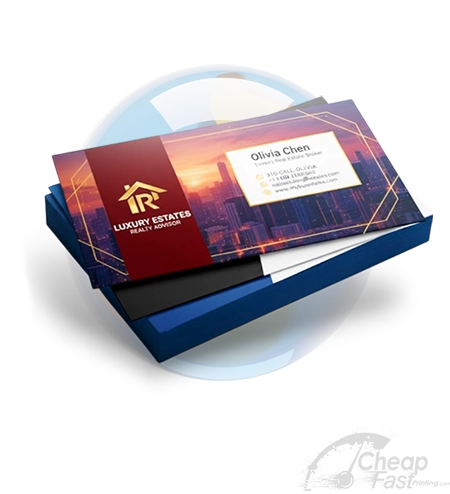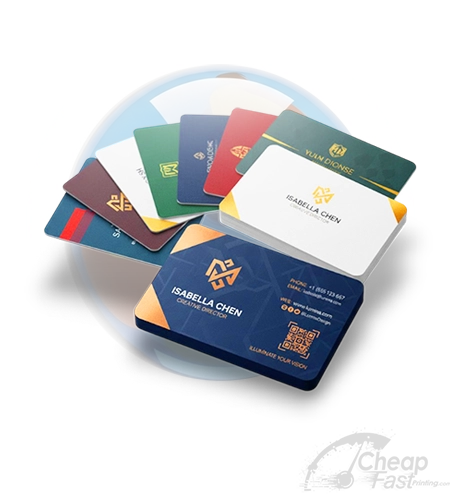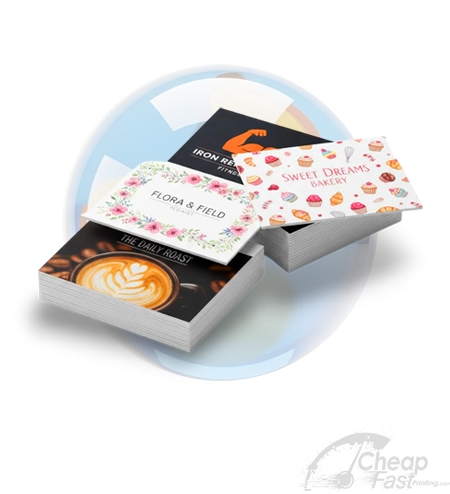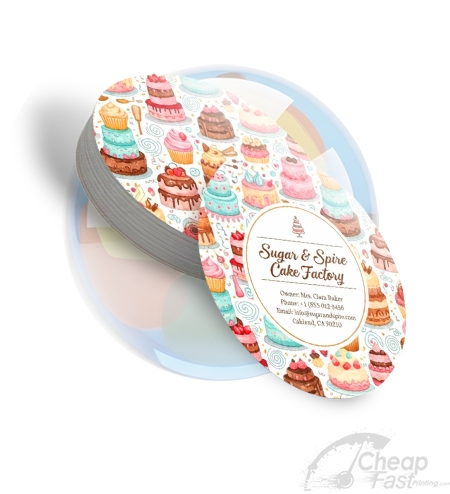
Appointment Cards on CheapFAST is for people who need Appointment Cards in a box, not a lobby tray tonight. Use the size, stock, and sides this Appointment Cards form actually enables. Read the packed total on the right. Free ground shipping is already inside that number. Air is the only extra ship dollar. A walk-in shop wins tonight. This page wins when a box has to arrive.
- Product
- Appointment Cards
- First spec
- the size, stock, and sides this Appointment Cards form actually enables
- Packed from
- Live form on the right
- Ground shipping
- Free. Folded into print. Rural ZIP extras are our loss.
- Artwork
- PDF with bleed, or Design Studio then Order this art into this cart
- Not this page
- a shape or finish that is gray on this form
Tools, templates, and AI for Appointment Cards
Typical online printers hide the design wall, the bleed ZIP, and a ship calculator on other URLs. CheapFAST keeps the live Appointment Cards form first, then puts Design Studio, bleed sheets, file tools, and AI on this same page. Every link below is a real CheapFAST tool, not a teaser.
A dentist needed appointment cards with a write-in date, not a generic 3.5x2 promo card. Ground shipping was already inside the print number.
Answer first: this URL sells appointment cards, not loyalty punch cards and not gift certificates. Open the form above. The appointment size this form opens on is the honest first pick when that chip is on. The packed total already includes free ground shipping. If a size or finish chip is gray, we do not sell it here. Loyalty Cards and Business Cards are sibling URLs with their own cells.
Bleed sheets, Studio cards, and the write-in well
The four Edit in Studio cards are CheapFAST layouts for appointment cards. Order this art sends the file into this cart. The guideline cards are cut, safe, and bleed sheets for the sizes this form sells. Pin the billed default first. View all opens the CheapFAST gallery. Leave a real write-in well. UV over a write-in area can reject a pen. Watch the coating chip if patients have to write.
How appointment cards bill on CheapFAST
Uncoated or writable stock is the honest pick when that chip is on. Ground stays FREE. Air is the only extra ship dollar. A Miami ZIP and a rural ZIP show the same yellow FREE tag on ground. We eat the extra carrier cost on ground. The packed total on the right is the number to trust when a chip changes. That change is print, not a hidden ship fee.
| Need | Page |
|---|---|
| appointment cards | This URL |
| Loyalty Cards | Sibling URL |
| Business Cards | Sibling URL |
| Faster or cheaper clock | Only if that sibling exists and you leave this form |
Who this appointment cards page is for
Clinics, salons, and anyone who still hands a next-visit card. If you actually needed Loyalty Cards, leave this page. If you needed Business Cards, leave this page. This URL stays appointment cards so the talk about the write-in well stays honest.
Honest limit: We print the card. We do not book the chair. Lines and date blocks are only on the art you send or the Studio layout you start. Plastic, NFC, foam board, acrylic, and PVC are not sneaky add-ons on a note. If a chip is missing, it is not for sale here. We do not lobby-pickup. We print and ship.
How to send a file that survives the write-in well
Leave a real write-in well. UV over a write-in area can reject a pen. Watch the coating chip if patients have to write. Studio can start a CheapFAST layout from the cards above. Order this art writes a CheapFAST product_id. Do not Save to Catalog on a shared template. Do not upload the sibling product PDF and write make it appointment cards in the note. The quote would still be this cell with the wrong crop.
Proofs stay on your CheapFAST order. Chat may share an inbox with the sister shops. The order file, artwork, and invoice stay on cheapfastprinting.com. Payment may use the sister merchant. That does not move the job to another catalog. Ground shipping stays FREE while you rebuild a weak file. Call (855) 608-5536 if the form cannot say yes to a finish you need.
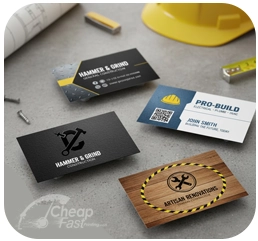
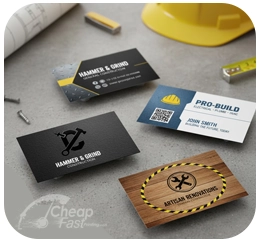
Need Loyalty Cards? Open Loyalty Cards. Need Business Cards? Open Business Cards. Ground shipping stays free on those URLs too.
How to set up a Appointment Cards file
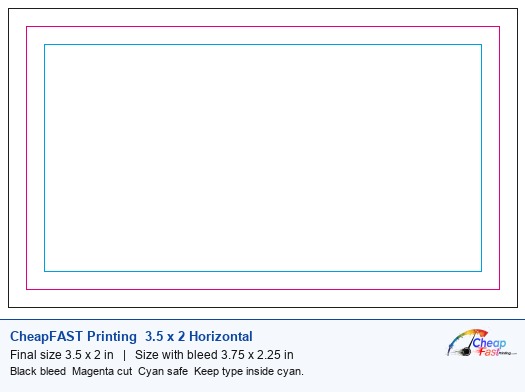
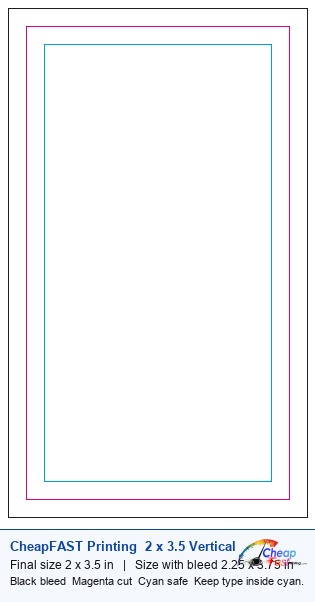
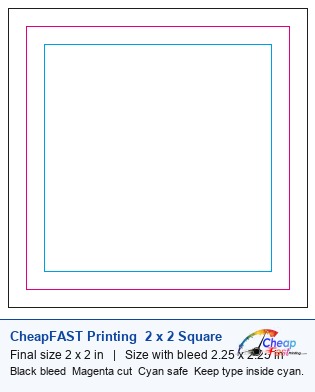
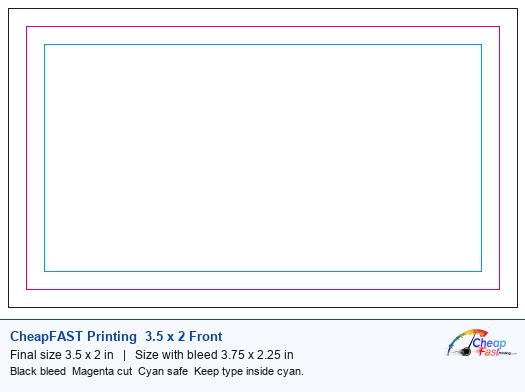
Bleed is the extra art past the magenta cut. Safe is the cyan box. Type, phones, and QR codes stay inside cyan. Background color goes to black bleed. A thin border that kisses the trim will look uneven after the cut. Download the bleed sheet for the size this Appointment Cards form is selling. The visualizer is the check if you built the file in another app.
What belongs on Appointment Cards
Name, title, company, phone, email, and a site or handle if you use one. A logo if you have one. Address only if people visit that place. Keep names at 9 pt or larger. A QR needs about 0.8 inch and a quiet margin. Do not put a phone in the last eighth. Soft-touch, spot UV, foil, and painted edges are only for sale when those chips are on this form. If the chip is missing, it is not for sale here.
| Stock people ask about | What this form actually does |
|---|---|
| 14 pt gloss | The everyday Appointment Cards default when that chip is on. Colors pop. Harder to write on. |
| Thicker or uncoated | Only if that paper row is enabled. Uncoated writes. Matte reads softer. Do not assume 16 pt or 17 pt if the row is gray. |
| Gloss front, writable back | Only when a coated-front uncoated-back chip exists. If it is missing, order uncoated or write on a separate note card. |
How to order Appointment Cards on CheapFAST
- Set the live Appointment Cards form. Pick size, paper, sides, quantity, and the print clock this Appointment Cards form actually enables. If a chip is gray, it is not for sale on this URL.
- Add the artwork. Upload a print-ready PDF with bleed, or open one of the Edit in Studio cards and click Order this art so size and sides travel into this cart.
- Read the packed total. Confirm print plus the yellow FREE ground shipping tag. Type a ZIP only if you clicked 2nd Day Air or Next Day Air. Ground does not move with ZIP.
- Add Appointment Cards to the cart. Use Add to cart on this page so the cart receives the product_id. Review the proof on your CheapFAST order, not on another shop.
Appointment Cards here versus a typical printer
This table is the decision, not a brand list. Typical online printers quote print, then shipping. Walk-in shops quote a click, then a carton. CheapFAST quotes one packed Appointment Cards number with ground already inside.
| Need | Typical online printer | Walk-in shop | CheapFAST |
|---|---|---|---|
| Ground shipping | Added after the print quote | You drive, or you pay a box | Folded into the Appointment Cards print number. Yellow FREE tag |
| Rural or campus ZIP | Often a dest surcharge | A long drive | We eat the extra on Ground |
| Artwork | Upload or a huge template wall | Flash drive at the counter | PDF with bleed, or four Edit in Studio cards then Order this art |
| Need it tonight | No lobby | Yes, if the store is open | No. We print and ship. Honest limit |
| Number you can trust | Print-only until checkout | Per-page menu plus finishing | Packed total on this form |
Appointment Cards questions with the write-in well and free ground shipping
Is ground shipping free on appointment cards?
Yes. Ground shipping is inside the print price. A Miami ZIP and a rural ZIP show the same yellow FREE tag. We eat the extra carrier cost on ground. 2nd Day and Next Day stay real dollars after ZIP. The packed total on the right is the number to trust if a size or finish chip changes on appointment cards.
What should I order first on this appointment cards form?
The appointment size this form opens on is the honest first pick when that chip is on. If it is gray, the live list is the list. Download the bleed sheet for the size you billed. Do not invent a size this form rejects and hope we cut it. Ground shipping stays FREE on the combination that actually bills.
Is this the same as Loyalty Cards?
No. This URL sells appointment cards, not loyalty punch cards and not gift certificates. Loyalty Cards is a sibling with its own matrix. Ground shipping is free on both. The packed totals are not the same cell. Do not order the sibling and write appointment cards in the note. The quote would stay the sibling cell.
Can I get a faster clock on appointment cards?
Only on a sibling clock URL if one exists for this product. Writing rush in the note on this cart does not move the cell. Digital Fast and Express are different pages when we sell them. Production days are print time. Ground starts after the carton leaves the plant. We do not drive across town.
What file do you want for appointment cards?
Leave a real write-in well. UV over a write-in area can reject a pen. Watch the coating chip if patients have to write. Click Edit in Studio on a card above, or upload a PDF with bleed. Order this art writes a CheapFAST product_id. Do not send a Word file as the final. Do not Save to Catalog on a shared template. Keep type inside cyan on the billed size.
What will you not do on appointment cards?
We print the card. We do not book the chair. Lines and date blocks are only on the art you send or the Studio layout you start. Ground shipping stays FREE either way. The packed total only includes the chips that are on. If you need Business Cards, open that URL instead of hoping this cart grows a second product.
Who should skip this Appointment Cards page?
Skip this URL if you need a shape or finish that is gray on this form. The live form is the catalog. Gray chips are not for sale here. Call (855) 608-5536 before you upload a file that needs a missing option. A note in the cart cannot rewrite a quote.
What is the minimum order for Appointment Cards?
The live quantity chips on this Appointment Cards form are the minimum. If 25 or 49 is gray, it is not for sale here. Do not write a smaller number in the note and expect that cell. A walk-up shop still wins for a handful tonight.
How many Appointment Cards can I order?
Order any quantity this Appointment Cards form lists. If 10,000 is enabled, it is for sale. If a higher chip is gray, call (855) 608-5536 for a custom quote. Do not assume a hidden ladder.
Can I print both sides of Appointment Cards?
Yes when both sides is an enabled chip on this Appointment Cards form. The packed total will jump. That jump is print, not a hidden ship fee. Ground stays FREE. If only front is enabled, this URL is one-sided.
Do you proof or file-check Appointment Cards?
Digital PDF proof is free when that chip is on and adds about one business day. You can also upload later and use the file uploader. Human plus AI design help can review a rough file. We do not silently fix a bad trim and keep the same quote.
Can I pick up Appointment Cards today at a store?
No. CheapFAST prints and ships. There is no lobby tray for Appointment Cards while you wait. A walk-in shop still wins that job. This page wins when a box has to arrive with ground already inside the number.
Can you design my Appointment Cards for me?
Yes. Start in Design Studio, or open Human plus AI design help. Free review is the first step. Paid graphic setup is the human build. AI copy and palette tools can draft words and colors. You still approve the proof on this CheapFAST order.
Can I get a sample before I order Appointment Cards?
Yes. The free sample kit ships with popular stocks so you can feel paper before a large Appointment Cards run. Kit shipping is included. It is not a custom proof of your file. Your job proof stays on the order.
What resolution do you need for Appointment Cards images?
300 dpi at the final size. A 72 dpi web logo will look soft on Appointment Cards. Run the DPI checker at the billed size. Photos pulled from a phone should convert off HEIC first. Studio can place a checked image inside the safe.
Will paper or coating change the colors on Appointment Cards?
Yes. Gloss makes Appointment Cards color look louder. Matte softens it. Uncoated looks more paper-like and writes. UV adds shine and a thicker feel when that chip is on. The RGB to CMYK preview is the screen hint. The live stock chip is the printed truth.
How do I keep text readable on Appointment Cards?
Keep names and phones at 9 pt or larger on Appointment Cards. Avoid hairline scripts. High contrast wins. Use the contrast checker. A QR needs about 0.8 inch. Test-scan a proof. Type in the last eighth will chip on a cut or a wallet clip.
What should I put on Appointment Cards?
For Appointment Cards put a name, title, company, phone, email, and a site or handle if you use one. Logo if you have one. Address only if people visit. A QR is optional and must sit in the safe. Do not cram a paragraph on a 2x3.5.
How do I stop uneven borders on Appointment Cards?
Do not draw a hairline frame near the trim of Appointment Cards. Keep a border at least 0.125 inch inside the safe. Push background to bleed. A cut shifts a little. That is why the bleed sheet exists.
How do I estimate delivery for Appointment Cards?
Ground shipping is already inside the Appointment Cards packed total. You do not need a ship calculator for Ground. Type a ZIP only for 2nd Day Air or Next Day Air. The form then shows air dollars and a date window. Print days and transit days are different clocks.
What AI tools can I use with Appointment Cards?
CheapFAST has AI copy, palette, tagline, background remover, upscaler, and a print-asset prompt builder under Free Print Tools. Use them to draft, then place the art in Design Studio or a PDF for this Appointment Cards form. AI does not skip the proof. You still approve the CheapFAST order.
What size is standard for Appointment Cards?
the size, stock, and sides this Appointment Cards form actually enables. Square, circle, oval, rip, and rounded-corner cards have their own URLs so this Appointment Cards page stays honest. If 2x3.5 is gray here, stop and call.
Do you offer rounded corners on Appointment Cards?
Rounded corners are a sibling page when this URL is the sharp rectangle. If this page is already Round Corner Business Cards, use the radius chip on this form. Do not write round them in the note on a rectangle quote.
Can I get a glossy front and a writable back on Appointment Cards?
Only if this Appointment Cards form shows a coated-front uncoated-back chip. If that row is missing, pick uncoated both sides or keep a separate notepad. A note in the cart cannot invent a split coating.
Last reviewed 2026-09-10. Money on this page follows the live CheapFAST form to ZIP 33140. If a chip changes, the form wins.