


- Start with a free business card template sized to 3.5×2 inches plus bleed so trim and safe zones are already correct.
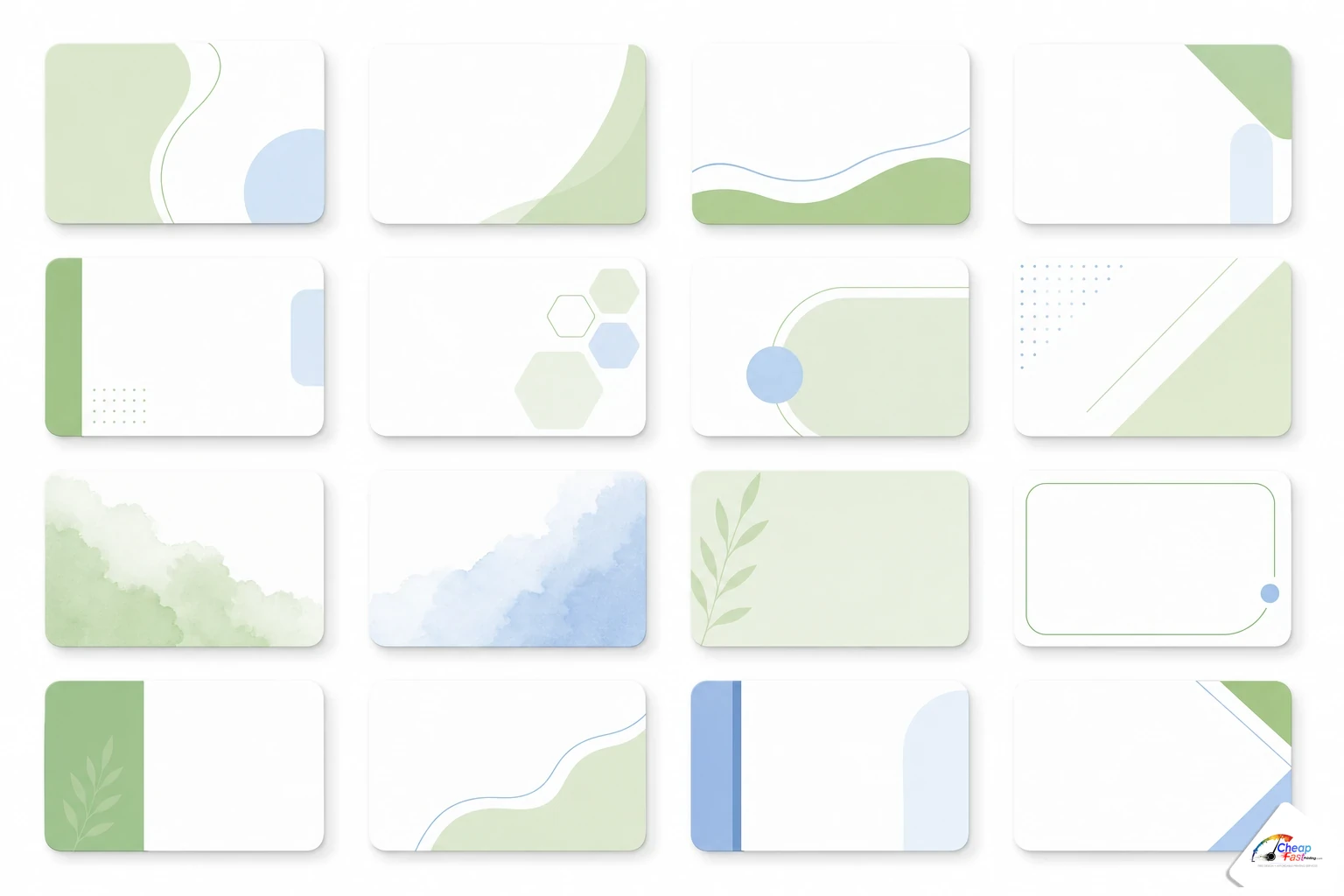
- Pick layouts by industry (real estate, restaurant, salon, trades, photography, corporate) or by style (minimalist, bold, luxury).
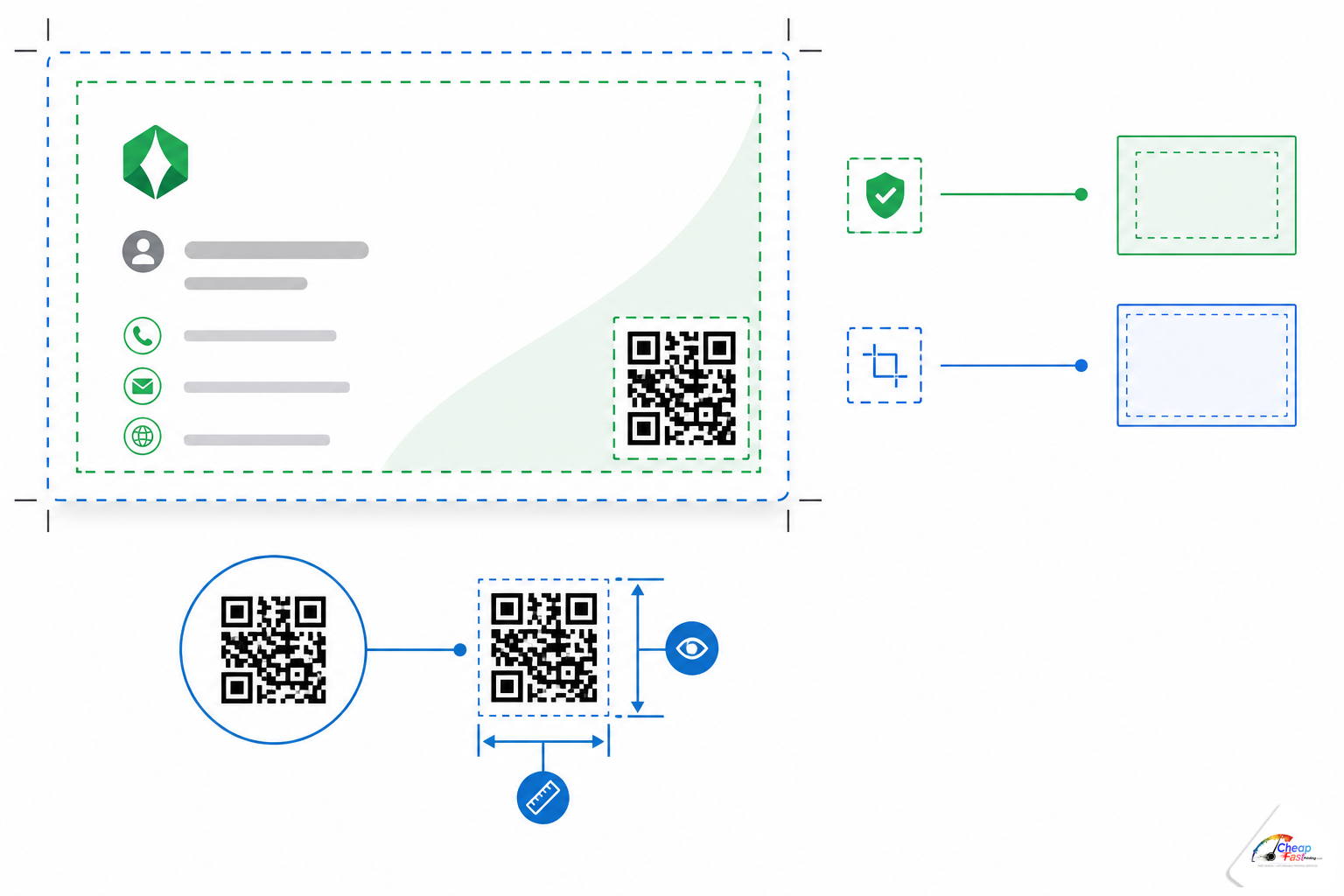
- Keep QR codes at least 0.8×0.8 inches inside the safe zone; our templates mark placement so cutters do not clip them.
Free business card templates remove the blank-page problem that slows most small businesses down. A proper business card template download already sets trim size, bleed, and safe margins so you focus on logo, contact lines, and offer copy—not on whether your Canva frame matches press specs. This guide walks through industry-specific layouts, style families, native QR placement, how to customize with our complimentary design team or in Canva, and how upload → proof → pay-later checkout keeps risk low before ink hits stock. Pair templates with the right cardstock and CMYK habits and you get professional cards without hiring an agency for every reprint.
What are free business card templates and who are they for?
Free business card templates are pre-built 3.5×2 inch layouts (plus standard bleed) you can edit with your logo, colors, and contact details. They are built for owners, office managers, and freelancers who need editable business card design without learning full prepress rules on day one. Templates are not a substitute for brand strategy, but they are the fastest path from idea to a proof you can approve before payment.
Why templates save time and money
Designing from a blank artboard wastes hours on measurements alone. U.S. standard cards are 3.5×2 inches finished size; press-ready files need extra bleed beyond that edge. Templates encode those numbers so type, logos, and QR codes sit where cutters and folding wallets will not punish you later.
Templates also reduce reprint cost. A mis-sized PDF might look fine on a phone yet fail at the cutter—white hairlines, clipped QR modules, or logos sitting in the bleed zone. Starting inside a tested grid prevents the most common support tickets our floor sees on card jobs.
How our free templates work with our free design service
You can download a template, fill it yourself, or upload a partial file and ask for complimentary layout help. Our free AI + human graphic design for printing workflow treats templates as a starting point: designers extend backgrounds to bleed, convert RGB exports to CMYK, rebuild low-res logos when possible, and return a proof PDF before you pay. Templates plus free prepress is the combination first-time print buyers use most often on business cards.
Browse by industry: templates for every profession
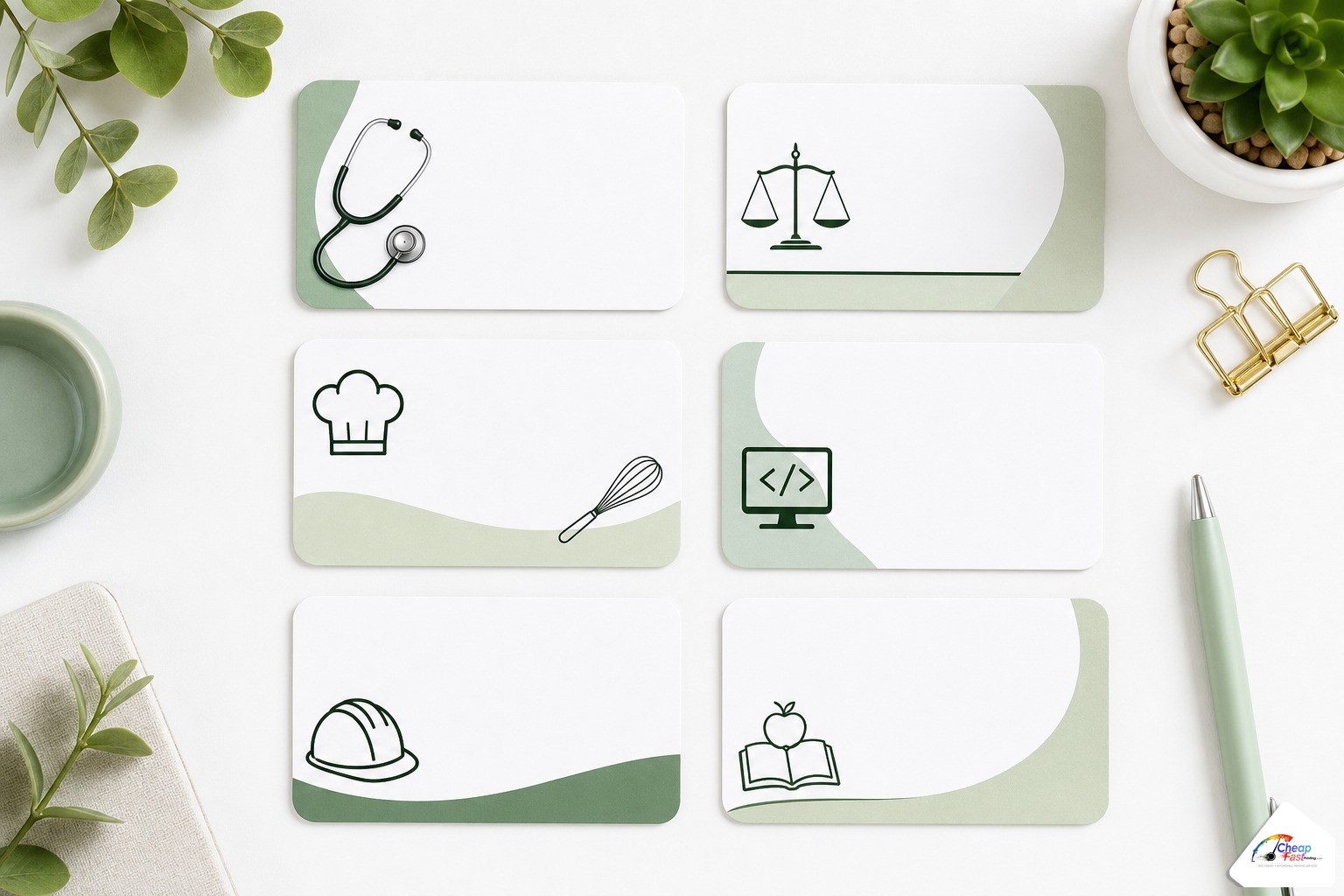
Industry templates are not gimmicks—they encode hierarchy buyers expect in three seconds. A realtor card should lead with name and brokerage; a restaurant card should surface cuisine and reservation paths; a contractor card should emphasize license line and emergency phone. Below is how we structure each family in the gallery.
Real estate agent business card templates
Real estate layouts prioritize headshot placement, brokerage compliance lines, and MLS-friendly disclaimers where your board requires them. Photo-forward fronts with clean backs for market stats or a short bio are common. Pair with 16pt matte or soft-touch stock for a premium hand-feel consistent with higher-ticket services—see our business card paper weight and finish guide when you choose stock.
Restaurant and food service templates
Restaurant cards often carry cuisine type, address, hours, and a reservation or ordering QR. Dark food photography backgrounds need full bleed in the template so pepper tones do not clip white at the edge. Keep logo and wordmark inside safe zone; busy counters mean cards get wet—matte or gloss lamination both work, but avoid ultra-thin stocks that curl near heat lamps.
Hair salon and beauty professional templates
Salon templates emphasize booking URLs, Instagram handles, and service menus in scannable hierarchy. Pastel and serif-forward styles match beauty branding; bold sans layouts suit barbers and grooming studios. Double-sided templates separate stylist name on front from full service list on back so the front stays uncluttered at arm’s length.
Contractor and trades templates
Trades templates lead with company name, license number, insured/bonded lines, and a high-contrast phone row. Icons for roofing, HVAC, plumbing, or electrical are optional—templates leave icon slots vector-friendly. Many contractors run 14pt gloss for volume handouts; the template structure stays the same even when stock is economical.
Photographer and creative professional templates
Photography cards are portfolio miniatures: large image safe zones, minimal type, and optional social QR to galleries. Templates warn against placing critical detail in bleed because full-bleed photos are standard. Creative layouts use generous white space so your work—not the template frame—owns the card.
Corporate and legal professional templates
Corporate and legal templates restrict color count, enlarge name and title, and keep logos within conservative clear space. Dual-sided layouts put credentials and office addresses on the back. These pair naturally with 16pt matte, spot UV on the firm name only, and CMYK-safe blacks—export habits covered in our CMYK vs RGB printing guide.
Browse by style: design aesthetics
After industry fit, choose a visual style that matches how you want to be remembered in a wallet stack.
Minimalist and modern templates
Minimalist business card templates use one type family, one accent color, and wide margins. They read well on matte stocks and survive years of design trends. Best when your logo is strong and you do not need photography on the face.
Bold and colorful templates
Bold templates use saturated fields, diagonal bands, or duotone photo treatments. They suit gyms, food trucks, event promoters, and youth brands. Export in CMYK-aware tools or expect hue shifts on press—templates flag large solid areas so prepress can adjust rich black and ink limits before proofing.
Luxury and premium-feel templates
Luxury templates rely on restraint: serif headlines, metallic accent placeholders (converted to flat CMYK golds for print), and space for soft-touch or spot UV upgrades. They assume 16pt bases and low-glare finishes rather than high-gloss coupon aesthetics.
Integrating and sizing QR codes natively in templates
QR codes on cards fail for two predictable reasons: they are too small or they sit too close to trim. Our template gallery includes placement guides so code modules stay inside the safe zone with quiet margin around the symbol.
Minimum scannable QR size for a business card
For vCard or HTTPS links printed on coated stock, aim for at least 0.8×0.8 inches finished size (roughly 20×20 mm). Smaller codes can scan on perfect screens but fail in pocket glare or after lamination softening. High error correction (QR level Q or H) helps when a logo sits in the center, but it is not a license to shrink below minimum size.
Where to place the QR so the cut and bleed do not clip it
Keep the entire QR symbol plus its quiet zone inside the inner safe margin—typically 1/8 inch inside trim on all sides that matter. Avoid straddling the vertical center crease if you use split backs. On double-sided cards, put the QR on the back if the front is photo-heavy so ink show-through does not reduce contrast.
How to customize your template
Customization paths split by skill level: edit the downloadable template directly, collaborate with our design team on whatever you have, or design in Canva and upload for prepress finishing.
Using our free design team
Upload a partially filled template, a competitor card photo, or only a logo and contact list. Complimentary design adjusts typography, extends bleed, places QR codes to spec, and sends a proof PDF. You are not required to finish pixel-perfect art before asking for help—that is the point of pairing templates with human prepress.
Customizing in Canva and uploading
Canva is a common free business card maker path. Duplicate our template dimensions or use Canva’s business card preset, then replace placeholder text and logos. When done, export PDF for print (if available) or high-quality PDF and upload. Prepress will still verify bleed, color mode, and font embedding—Canva exports are welcome starting points, not guaranteed press-ready files.
Preparing your Canva file for print
Before upload: enable bleed in Canva if your subscription allows it; keep logos and phone numbers inside safe margins; convert critical brand colors with CMYK preview if offered; download at highest quality; test your QR on paper after the proof, not only on screen. Detailed color behavior is covered in our CMYK vs RGB guide.
Send your layout, Canva export, or logo-only brief. AI drafts and a human designer return a proof-ready card file before you pay.
Cost and value tiers: template-only vs full-service print
Templates themselves are free; total cost depends on quantity, stock, coatings, and how much design help you need. Use these tiers for planning before you upload.
| Tier | What you supply | Typical outcome | Best for |
|---|---|---|---|
| Template DIY | Filled template, print-ready PDF | Fast proof, lowest art labor | Design-comfortable owners |
| Template + free prepress | Canva or partial template file | Bleed/CMYK/QR fixes, one proof cycle | Most small businesses |
| Template + from-scratch help | Logo and copy only | AI layout + human finish | New brands, rebrands |
| Premium print stack | Any template path | 16pt soft-touch, spot UV, special shapes | Luxury positioning |
What moves price after you pick a template
Quantity breaks dominate unit cost. Heavier 16pt stocks and soft-touch films add material cost versus 14pt gloss. Double-sided full-bleed photography increases ink coverage and show-through risk, which sometimes pushes recommend heavier bases. Rush turnaround narrows scheduling windows. Templates do not change those fundamentals—they prevent expensive mistakes.
Business card stock: relative cost index
Compare 14pt vs 16pt and finish tiers at common quantities. Index 100 = 14pt gloss baseline.
| 100 | 118 | 142 | 168 |
| 14pt gloss | 16pt matte | 16pt soft-touch | 16pt + spot UV |
| 100 | 112 | 135 | 158 |
| 14pt gloss | 16pt matte | 16pt soft-touch | 16pt + spot UV |
| 100 | 108 | 128 | 149 |
| 14pt gloss | 16pt matte | 16pt soft-touch | 16pt + spot UV |
Illustrative index for planning. Live totals depend on quantity, coating, and turnaround. Confirm at checkout.
From template to delivered cards: our process
The workflow is intentionally simple: choose a template family, customize, upload, approve a proof, then release payment and production. You should never have to guess whether the file on press matches the file you approved.
Upload, proof approval, no upfront payment
Configure card quantity and stock, upload your customized template export, and request a proof. Prepress flags clipped bleed, RGB surprises, or undersized QR codes before money is captured. If you prefer checkout that separates order placement from payment, read our guide to pay later print checkout with no payment first—it pairs cleanly with template uploads because you approve fixed art before paying.
Same-day and next-day turnaround options
Turnaround depends on quantity, coating, and current press schedule. Simple one-sided 14pt jobs on approved files ship faster than double-sided soft-touch with spot UV. Submitting a template-based PDF with correct bleed early in the day gives scheduling the most flexibility—late uploads with heavy design rebuilds may slide to standard turnaround even when rush is available.
Checklist before you approve the proof
- Name, title, phone, email, and URL are correct—not placeholder text
- QR resolves to the live destination you intend
- Logo is sharp at actual print size (not a stretched web PNG)
- Colors are CMYK-safe for your chosen stock
- Back-side copy aligns with industry compliance needs (real estate, legal, medical)
After approval, production uses the proofed PDF. Keep a saved copy of your template source file for seasonal updates—holiday hours, new area codes, and fresh headshots are faster when the grid already exists.
Frequently asked questions about our templates
Are your business card templates really free?
Yes. Template downloads and gallery previews are free to use for layouts you print with us or export for your own prepress elsewhere. Printing, stock, coatings, and shipping are quoted separately based on quantity and options you select at checkout.
What size are the templates?
U.S. standard 3.5×2 inch finished size with standard bleed included in the file setup. Metric equivalents are noted in template readmes where relevant. Always confirm rounded-corner or die-cut products against the SKU you order because trim paths can differ.
Can I use the templates in Canva?
Yes. Match the template dimensions, recreate or import brand elements, and export PDF for print when available. Upload the export for complimentary bleed and CMYK checks—Canva files are among the most common uploads we finish for free before proofing.
Do templates include QR code placement guides?
Yes. Industry and style packs mark recommended QR zones and minimum sizes so codes stay scannable after trim and lamination. You still should scan the proof PDF on paper before approving a large run.
What if I only have a logo and no finished layout?
Choose an industry template for hierarchy, send your logo and copy, and use complimentary design to populate the file. The template supplies structure; designers supply bleed-safe export and typographic polish.
Which template style should I choose?
Match style to brand voice: minimalist for professional services, bold for high-energy retail and events, luxury for premium positioning. Industry templates handle content priority; style templates handle visual tone.
How do templates work with pay-later checkout?
Upload your customized template, receive a proof, and pay after approval when using pay-later checkout. Templates reduce proof cycles; pay-later reduces paying for uncorrected art. Together they lower risk for first-time buyers.
What stock should I pick after I customize a template?
Most service businesses default to 16pt matte or soft-touch; high-volume trades often choose 14pt gloss. Photography-heavy fronts benefit from heavier stock to limit show-through. Use the paper weight guide linked from this article for side-by-side comparisons.