


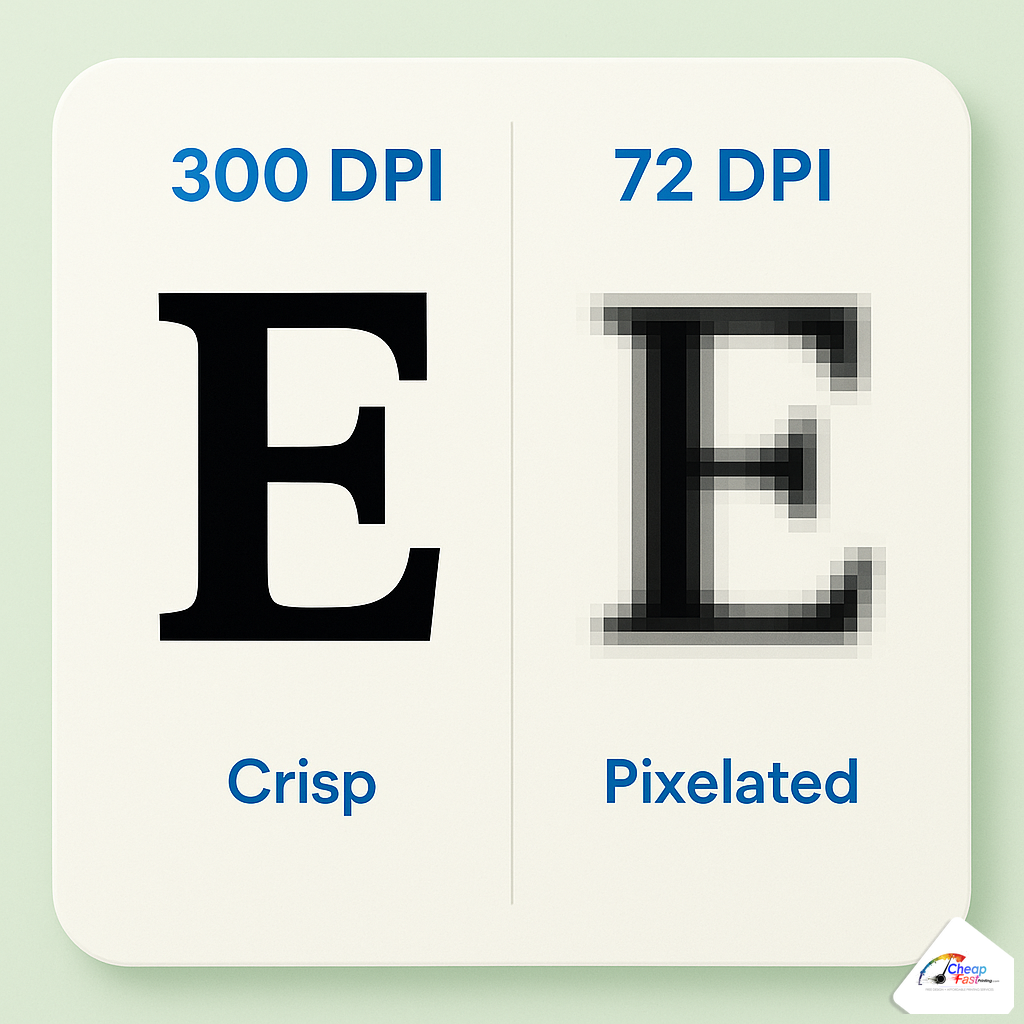
- Aim for 300 DPI at final print size for cards, flyers, and brochures viewed at arm’s length.
- Web images at 72 PPI look fine on phones but blur when enlarged on paper.
- Logos and type should be vector whenever possible.
Blurry logos ruin otherwise great layouts. If you are asking what is DPI printing specialists mention in preflight emails, you are solving the right problem. This guide explains 300 DPI vs 72 DPI, how image resolution for printing is calculated from pixel dimensions, when lower DPI is acceptable on banners, and how to fix files before you order.
What DPI is needed for printing?
For business cards, flyers, and brochures viewed up close, target 300 DPI at final trim size. Large banners viewed from several feet away can use roughly 100–150 DPI at final size. The rule is viewing distance: closer eyes need more dots per inch.
What is DPI and what does it stand for?
DPI means dots per inch: how many ink dots the printer places in one inch on paper. Designers often say PPI (pixels per inch) for image files. For buyers, both terms point to the same idea: enough pixel information for the printed size.
Metadata DPI vs effective resolution
Changing the DPI number in Image Size without adding pixels does not add detail. Effective resolution equals pixel width divided by print width in inches. That is what prepress measures.
How to calculate pixels for print size
Multiply inches by DPI to get required pixels. An 8-inch-wide photo at 300 DPI needs 2400 pixels wide. A 3.5-inch logo needs 1050 pixels wide at the same standard.
| Print width | Pixels at 300 DPI |
|---|---|
| 3.5 in (card width) | 1050 px |
| 5 in | 1500 px |
| 8.5 in (letter width) | 2550 px |
Round up when possible. Slight extra resolution survives downsampling better than upsampling blurry art.
Why upsampling cannot invent detail
Photoshop and AI tools can add pixels by guessing between existing ones. Edges soften and fine type becomes fuzzy. Prepress may accept an upsampled file for a deadline, but it will not match true 300 DPI capture. The sustainable fix is a new photograph, a larger stock download, or a vector logo redraw.
The 72 DPI vs 300 DPI difference
Historically, screens displayed near 72 PPI. Social and web images still export small. They look acceptable on phones because viewing distance is short and screens interpolate pixels with light.
On paper, ink dots do not invent detail. Stretching a 800-pixel-wide hero image across a letter flyer yields soft edges and stair-steps in gradients. That is the classic low resolution print complaint.
When 225–250 DPI is acceptable
Some shops accept slightly lower resolution on coated stocks with crisp RIPs. Ask your printer. Marketing photos below 250 effective PPI at final size often show softness in hair, fabric, and small type over photos.
Resolution requirements by print product
| Product | Recommended | Minimum (typical) | Why |
|---|---|---|---|
| Business cards | 300 DPI at size | 250 DPI | Held close |
| Flyers and brochures | 300 DPI | 225–250 DPI | Arm’s length reading |
| Posters (mid distance) | 200–250 DPI | 150 DPI | Viewed a few feet away |
| Vinyl banners | 100–150 DPI at size | Viewing distance | Dots spread on large format |
Effective resolution vs perceived sharpness
How PPI at final size affects readability on cards and flyers (arm's length viewing).
Green band = typical print-safe zone for hand-held pieces. Banners viewed far away can use lower PPI.
Vector art vs raster images
Logos, icons, and type should be vector (PDF, AI, SVG placed in PDF) when possible. Vector paths scale without pixelation. Photos stay raster and must carry real pixels.
Mixed layouts fail when a vector PDF wraps a tiny web PNG logo. Preflight sees a crisp page with one fuzzy mark in the corner.

Resolution scenarios from the prepress queue
Scenario: LinkedIn banner scaled to a flyer
A consultant dropped a 1584-pixel-wide banner into an 8.5-inch-wide letter layout. Effective resolution near 186 PPI. Headshots looked soft. Replacing with the original camera file at 4000+ pixels fixed the run.
Scenario: Vector logo with embedded raster
A PDF logo looked crisp in preview because the page vectorized well, but embedded bitmap text inside the mark was 200 PPI at card size. Export true vector outlines or request the AI master from the designer.
Scenario: Large banner viewed from 20 feet
A 4-foot-wide banner at 100 DPI can look sharp at venue distance. The same file would fail on a hand-held flyer. Match DPI to viewing distance, not habit.
How to check and fix DPI in common tools
Adobe Photoshop
Open Image Size. Turn Resample off to see true pixel dimensions. Width in pixels divided by print width in inches equals effective PPI. Turn Resample on only when you have too few pixels and accept quality limits.
Illustrator and InDesign
Preflight panels flag images below threshold. Place linked high-res photos; keep logos as vectors.
Canva
Design at the final inch dimensions when possible. Download PDF print. Avoid dragging small web thumbnails to full bleed backgrounds.
Smartphone photos
Modern phones capture enough pixels for 5×7 and often letter if you export the original file, not a compressed text-message version.
Microsoft Word and PowerPoint
Office exports are convenient but often downsample images. Prefer placing high-res PNG or JPEG at insert size, then export to PDF. If prepress flags softness, rebuild the hero image panel in Canva or InDesign at correct dimensions.
Stock photo licenses
Small web-preview downloads from stock sites are not print assets. Download the large tier labeled for print at the size you need. License terms and pixels both matter.
When fixing resolution saves money
| Situation | Fix cost | Reprint risk |
|---|---|---|
| Swap vector logo before print | Minutes | Avoids fuzzy brand mark |
| Relayout with smaller photo | Low design time | Sharp at native pixels |
| Print blurry then reorder | Full rerun + ship | Highest total cost |
Five minutes sourcing a proper logo beats a rush reprint on a deadline campaign.
Online upload vs local shop file review
Online printers auto-preflight at upload and flag low-resolution assets before payment. Local shops may fix files manually as a service. Either path works if you supply native pixels early. Waiting until rush day removes options.
Pairing DPI with bleed and color
Sharp photos still white-edge without bleed. Perfect bleed still shifts hue if RGB neon greens collapse in CMYK. Use this guide with our bleed and color articles as a three-part preflight habit before every new template.
For business cards with photography, shoot or license images at least 1200 pixels wide for the hero photo panel alone. For full-bleed letter flyers, hero photos should exceed 2400 pixels wide at final width. When in doubt, zoom to 100% in Acrobat at final trim size: if you see pixel squares, order a new asset.
Upload your layout for a resolution and bleed check before approving production.
Frequently asked questions
Is 300 DPI required for all printing?
It is the standard for products viewed up close. Large banners viewed from far away intentionally use lower DPI at final size because dots blend at distance.
Can you fix a blurry file?
Prepress can relayout or swap assets if higher-resolution sources exist. Severely small images cannot be truly restored; they must be re-shot or re-sourced.
Does doubling image size in Canva add DPI?
Stretching increases print inches, not pixel count. Effective DPI drops when you enlarge. Design at final dimensions instead.
What DPI for a 4×6 flyer photo?
At 4 inches wide, 300 DPI needs about 1200 pixels wide. At 6 inches tall, height pixels scale similarly for full-bleed photos.
Are PDFs always high resolution?
No. PDFs can embed tiny images. Always check placed image pixel dimensions, not only the PDF file size.
Is PNG or JPEG better for print?
Both work in PDFs if pixel dimensions are adequate. PNG helps flat graphics; JPEG is fine for photos at high quality with minimal compression artifacts.
Why did my business card logo blur?
Usually a web PNG was scaled to card width without enough pixels, or a screenshot replaced the vector master.
Does DPI matter for text?
Text set as vector is resolution-independent. Text rasterized into a low-res image will blur like any other bitmap.