


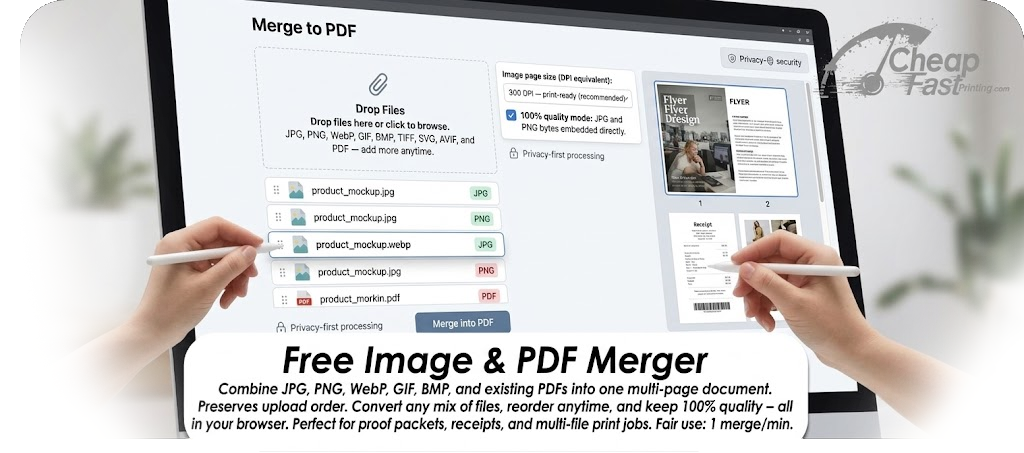
How to merge images and PDFs into one document
Whether you are assembling a proof packet, combining scanned receipts, or bundling product photos with a spec sheet, this tool stitches every file into a single PDF while respecting the sequence you choose. Drop JPG, PNG, WebP, or PDF files, reorder if needed, then download one merged PDF ready for email, print, or upload to our complimentary file uploader.
Perfect for these workflows
- One print-ready PDF from separate flyer fronts, backs, and bleed PNGs.
- Client approval packets mixing PDF proofs and reference JPGs.
- Insurance or real-estate bundles combining scanned pages and phone photos.
- Portfolio decks that interleave vector PDF spreads with WebP mockups.
Proof marks for client approvals
Turn on Proof marks when you need a merged PDF that shows where bindery will cut and where type should stay safe. A guide page is added first explaining every line. The overlays match our free bleed & safe zone visualizer. Choose Specify trim size for standard bleed files, or Bleed already in artwork when the image edge is the bleed boundary and the cut sits 0.125" inside. Marks are vector overlays - they do not recompress JPG or PNG data.
Quality settings explained
PDF pages imported from another PDF are copied at the vector and image quality stored in the source - no unnecessary rasterization. JPEG and PNG images are embedded using their original compressed streams. For WebP, GIF, BMP, and similar formats, the tool decodes once and embeds a lossless PNG page so nothing is double-compressed.
The DPI control only affects how pixel dimensions map to physical page size when you choose Match each image. For standard or custom paper sizes, images are scaled to fit the canvas while staying at full embedded quality. Use 300 DPI when you plan to send the merged PDF to a commercial printer such as our color copy or flyer printing services.
Quick answers to popular merge-PDF searches
- How do I combine JPG and PDF files into one PDF? Upload both, confirm the order in the list, then click Merge into PDF.
- Will the page order match my upload order? Yes - unless you drag rows to reorder before merging.
- Is merging lossless? For JPG, PNG, and PDF inputs, yes. Other image types are converted to PNG once at full resolution.
- Is it free? Yes, with a one-merge-per-minute fair-use limit. Prefer our team to merge for you? Use the Request Human + AI help with this task button above - upload your files and we will combine them manually and email you back at no charge.
Frequently asked questions
How do I merge multiple JPG files into one PDF online?
Select or drop your JPG files, arrange them in the queue, and click Merge into PDF. Each image becomes one PDF page at full JPEG quality.
Can I merge PNG, WebP, and PDF files together?
Yes. Mix any supported image type with PDF documents. PDF pages keep their original content; images are embedded at full resolution.
Does merge order follow upload order?
Yes. Files appear in the queue in the order you add them. Drag rows or use the arrow buttons to change order before merging.
Are my files uploaded to your servers?
No file content is uploaded for merging. Processing runs locally in your browser. Only lightweight anti-abuse metadata is sent after a successful merge.
What is the page limit?
The merged PDF can contain up to 200 pages total, counting every page from multi-page PDF inputs plus one page per image.
Can I merge password-protected PDFs?
Encrypted PDFs cannot be merged in-browser. Remove the password first or send the files to our team via the complimentary file upload service.
How is this different from paid PDF merge tools?
Many paid services watermark free exports or downsample images. This tool keeps JPG and PNG at original quality and copies PDF pages without forcing a subscription.
Can I add bleed, trim, and safe zone proof marks?
Yes. Enable Proof marks (optional) before merging. A guide page is inserted first explaining every overlay. Every image page and every page from PDF inputs gets vector marks - blue dashed bleed edge, red trim line, green dashed safe zone, and black crop marks. Choose Specify trim size when your file includes bleed beyond trim, or Bleed already in artwork when the cut goes bleed distance inside the image edge.